Descrição
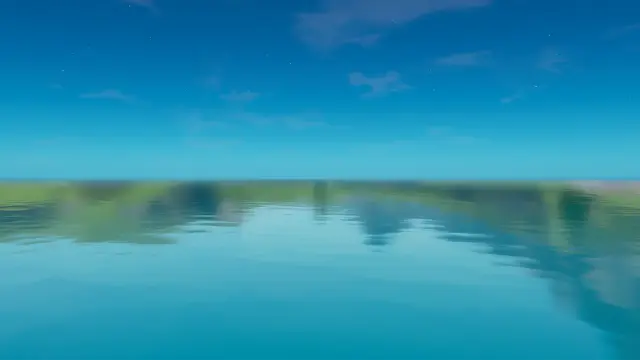
Replaces the default sky with one whose colours, clouds and stars you set
One blueprint actor at 0, 0, 0 runs the whole sky, with its own time of day control and ready-made presets sitting in the Materials folder.
Fortnite's time of day managers decide what the sky over your island looks like, so every map ends up with the same few skies. This hands that control to a material you own. Place the blueprint, tick one box in World Settings, done.
What it does:
🎨 Everything is a parameter: Colours, clouds, sun, stars and time of day are all exposed on the skybox material — change any of them in the material editor, no code and no nodes to rebuild.
🌤️ Sky replacement: One blueprint actor placed at 0, 0, 0 takes over the island's sky — nothing else to wire up, and the default sky is gone the moment the actor is in the level.
🖼️ Ready-made presets: Preset material instances sit in the Materials folder — drag one onto the blueprint for a finished sky, or duplicate it and start editing from there.
🕐 Its own time of day: The blueprint runs a time of day control of its own, independent of Fortnite's default managers — set the exact hour and look your map needs instead of the engine's.
♾️ Unlimited variations: One master material makes as many skies as you make instances of it — a different sky for every map, with nothing new to import.
What you can change: Time of day; colours; clouds; the sun; and the stars. Every parameter of the skybox material is exposed, so duplicating a preset instance and editing it is all a new sky takes — the blueprint itself stays as it is.
Requirements & setup: No Verse knowledge needed — blueprint and materials only, no code. Import the folder, restart the project, place the blueprint at 0, 0, 0, and enable "Disable all time of day managers" in World Settings. About 3 minutes. Works with current UEFN versions, and costs the island one blueprint and one material instance.
What's inside: The skybox blueprint (Blueprint folder), the skybox master material with its ready-made preset material instances (Materials folder), and the sky textures those presets use.
Good to know: The project has to be restarted after importing, before the blueprint works. Turning on "Disable all time of day managers" switches off Fortnite's own day and night handling across the whole island, not just for the skybox. The blueprint goes at 0, 0, 0 rather than anywhere else in the level.
Support & updates: Lifetime updates included — if a Fortnite patch breaks something, the fix ships free. Direct support on Discord, usually the same day.
Avaliações
Avaliações deste produto
5.01 avaliaçãoAs avaliações são para compradores — entre se você tem este produto.

Works great! Much better than the previous version in my opinion. i can customize so much stuff its ridiculous! I would recommend you buy this if you want to upgrade your sky to make it look not only better but more appealing than the normal boring sky.
O que os compradores dizem sobre outros produtos
nice , now my 1v1 map much better )

super helpful, gave me a clear video showing how to import the water.